Why Your Ring Doorbell Isn’t Working Right (And What Actually Fixes It)
Published May 2026 · By Dan, SmartHome Connect LLC · Lenexa, KS
Ring Video Doorbells are one of the most popular smart home devices on the market. They’re also one of the most frustrating when something goes wrong — because you don’t realize there’s a problem until you check the app and discover your doorbell has been offline for three days, or you look back at a motion event and the clip is a blurry mess, or someone walked right up to your door and Ring didn’t record a thing.
I install and fix Ring doorbells across the KC metro regularly, and the same handful of problems come up over and over. Most of them aren’t hardware failures — they’re installation or configuration issues that are fixable once you know what to look for.
Problem #1: Your Ring Keeps Going Offline
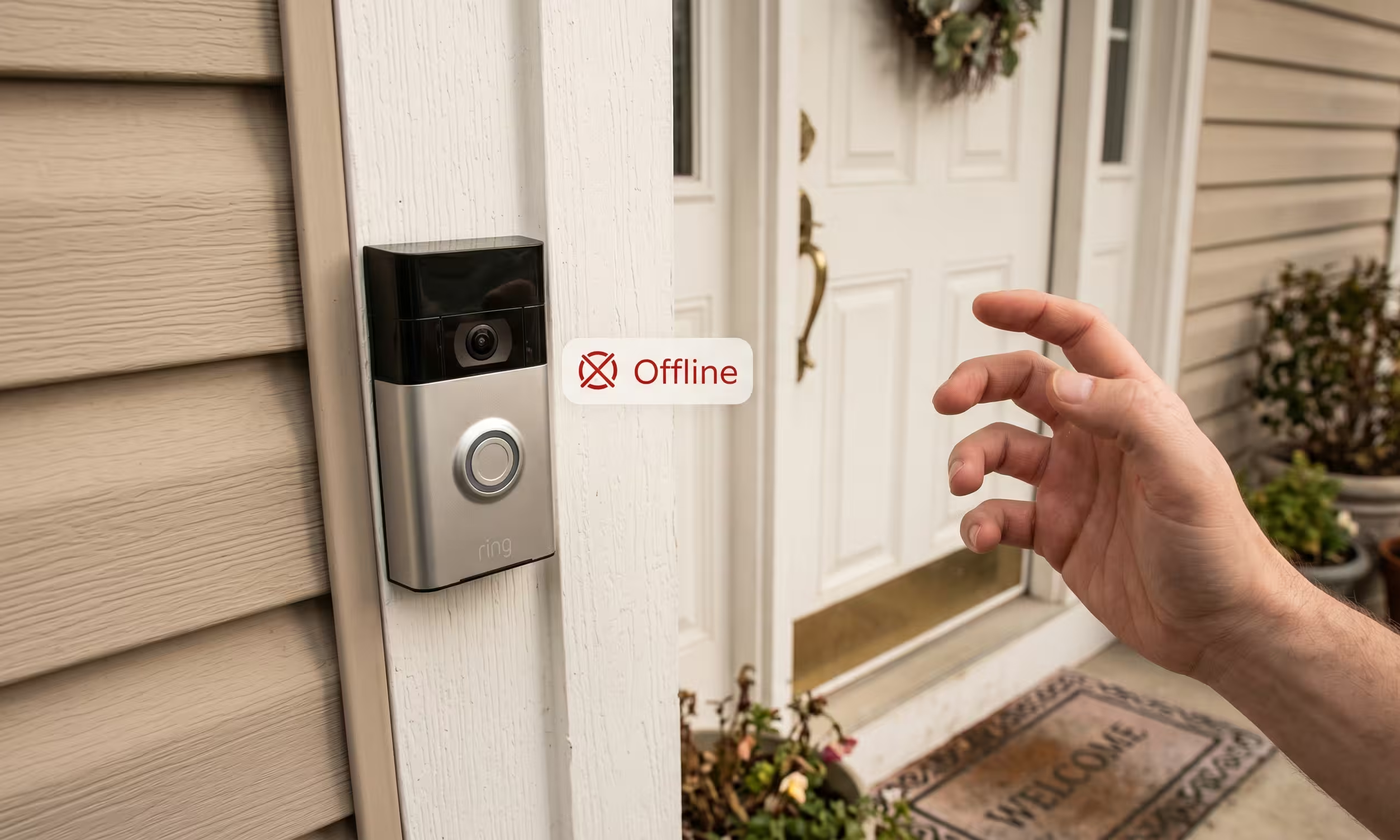
This is the number one issue. Your doorbell drops offline, reconnects, drops again. You get a notification that it’s offline, and by the time you check, it’s back — until it isn’t.
The cause is almost always WiFi signal strength.
Your Ring doorbell needs a solid WiFi connection to function. Not “it works most of the time” — consistently solid. In the Ring app, go to Device Health and check your RSSI number (Received Signal Strength Indicator). That number tells you everything:
- 0 to -40 — Excellent. No problems here.
- -41 to -60 — Good. This is the range you want.
- -61 to -70 — Acceptable but borderline. You might see occasional drops.
- -71 and beyond — Poor. Your doorbell will drop offline regularly. Live view will fail. Motion clips will be delayed or missing.
The fix depends on how bad the signal is. If you’re in the -60 to -70 range, a Ring Chime Pro (which doubles as a WiFi extender) placed between your router and the front door can close the gap. If you’re past -70, the real fix is a mesh WiFi system (like Eero, which Ring’s parent company Amazon makes) or running an access point closer to the front of your house.
I see this problem constantly in older Kansas City homes — especially historic KC homes with plaster walls and wire lath that destroy WiFi signals. The router is in a back room, the doorbell is at the front of the house, and there are three plaster walls in between eating the signal alive.
Problem #2: Motion Events Are Missing or Delayed
Someone walked up, grabbed your package, and left — but Ring didn’t record it. Or it recorded the person leaving but missed them arriving. This is a motion detection and zone issue, not a camera failure.
Common causes:
Motion alerts are turned off. This sounds ridiculous, but according to Ring’s own support data, it accounts for roughly 90% of “my camera isn’t detecting motion” tickets. Open the Ring app, tap your doorbell, and make sure both “Motion Alerts” and “Ring Alerts” are toggled on (blue).
Motion zones are too narrow. If you’ve customized your motion zones to reduce street traffic alerts, you might have inadvertently excluded your walkway or porch steps. Reset them to default and then adjust from there.
Motion sensitivity is too low. Ring lets you adjust sensitivity on a slider. If it’s set low to avoid false alerts from cars and animals, it might also be filtering out people at certain distances.
The doorbell is mounted too high. Ring recommends mounting at about 4 feet above the ground — roughly chest height. The PIR (passive infrared) motion sensor works by detecting heat moving across its field, not toward it. If the doorbell is at 5-6 feet (which most DIY installs end up at, because that’s where the old doorbell was), the sensor angle changes and it misses people at closer range.
Problem #3: Battery Drains Way Too Fast
Ring says battery doorbells should last 6-12 months. In reality, most KC homeowners tell me theirs lasts 3-6 weeks. The gap between marketing and real life is large.
What drains the battery fastest:
- Weak WiFi signal — the doorbell works harder to maintain connection, burning battery
- High motion activity — busy streets, lots of foot traffic, pets in the yard
- Live View usage — every time you open the live feed, it drains the battery
- Cold weather — lithium batteries lose capacity below 40°F, and Ring batteries can shut down entirely at -5°F
- Frequent firmware updates — these run in the background and use significant power
The permanent fix is wiring your Ring doorbell to your existing doorbell transformer. Wired Ring doorbells maintain a trickle charge and never need to be removed for charging. But the transformer needs to output at least 16 volts AC — many older KC homes have 10V or 12V transformers that don’t provide enough power, causing a different set of problems (chime not ringing, video cutting out).
I replace old transformers during Ring installations for this exact reason. It’s a $15 part and 20 minutes of work that eliminates battery problems permanently.
Problem #4: Video Quality Is Poor or Grainy
Blurry video, pixelation, or night vision that’s washed out and useless. This comes down to three things:
Bandwidth. Ring needs at least 2 Mbps upload speed for HD video. Most KC internet plans have plenty of download speed but limited upload. If you have multiple cameras and smart home devices competing for upload bandwidth, Ring’s video quality drops. Check your upload speed at speedtest.net — if it’s under 5 Mbps, that’s likely the bottleneck.
Lens condition. The camera lens is exposed to weather 24/7. Dirt, pollen, cobwebs, and water spots accumulate and degrade image quality. Wipe the lens with a soft cloth every few weeks — especially in spring when pollen coats everything in KC.
Night vision interference. If your Ring is mounted near a reflective surface — glass storm door, shiny house numbers, a white wall very close to the lens — the infrared LEDs bounce light back into the camera and wash out the image. Repositioning the doorbell even a few inches can fix this.
Problem #5: Your Traditional Doorbell Chime Doesn’t Ring
You replaced your old doorbell with a Ring, and now your indoor chime box doesn’t make a sound when someone presses the button. The Ring app sends a notification, but the physical chime is dead.
This usually means the Ring isn’t receiving enough power from your transformer to trigger the mechanical chime. Ring doorbells need 16-24 volts AC. If your transformer is underpowered, the Ring prioritizes its own electronics over the chime circuit.
The fix is a transformer upgrade — swap the old one for a 16V or 24V doorbell transformer. If you’re using a Ring Pro or Pro 2, make sure the Pro Power Kit is installed inside your chime box correctly. Improper installation of that small circuit board is one of the most common causes of chime failure.
When It’s Time to Call a Pro
If you’ve tried the software fixes — checking WiFi signal, adjusting motion zones, updating firmware — and the problems keep coming back, it’s usually an installation issue. Wrong mounting height, underpowered transformer, bad WiFi coverage, or a combination.
I fix these installs regularly. The typical job takes about an hour: I assess the current setup, fix the mounting position, upgrade the transformer if needed, verify WiFi signal strength, configure motion zones properly, and test everything before I leave. If the WiFi is the real problem, I’ll tell you that too — and recommend the right solution for your specific home layout.
You can also check out my top Ring installation mistakes post for more common issues I see in the field.
Call or text (913) 674-9723 or visit smarthomeconnectllc.com/contact-us.
Serving Lenexa, Overland Park, Olathe, Shawnee, Leawood, and the full KC metro.