What to Look for in a Home Security Camera System (Without Overpaying)
Published May 2026 · By Dan, SmartHome Connect LLC · Lenexa, KS
I’ve installed hundreds of security camera systems across the KC metro, and the same thing happens almost every time. Someone walks into Best Buy, gets overwhelmed by a wall of boxes, and either buys the cheapest kit they can find or overspends on a system loaded with features they’ll never use.
Both are bad outcomes. So I want to walk you through what actually matters — and what doesn’t — when you’re shopping for a home security camera system.
Resolution: 4K Matters More Than You Think
Most budget cameras shoot at 1080p. That’s fine for seeing that someone walked up to your door. It’s not fine for identifying who that person was, what they were wearing, or reading a license plate from your driveway camera.
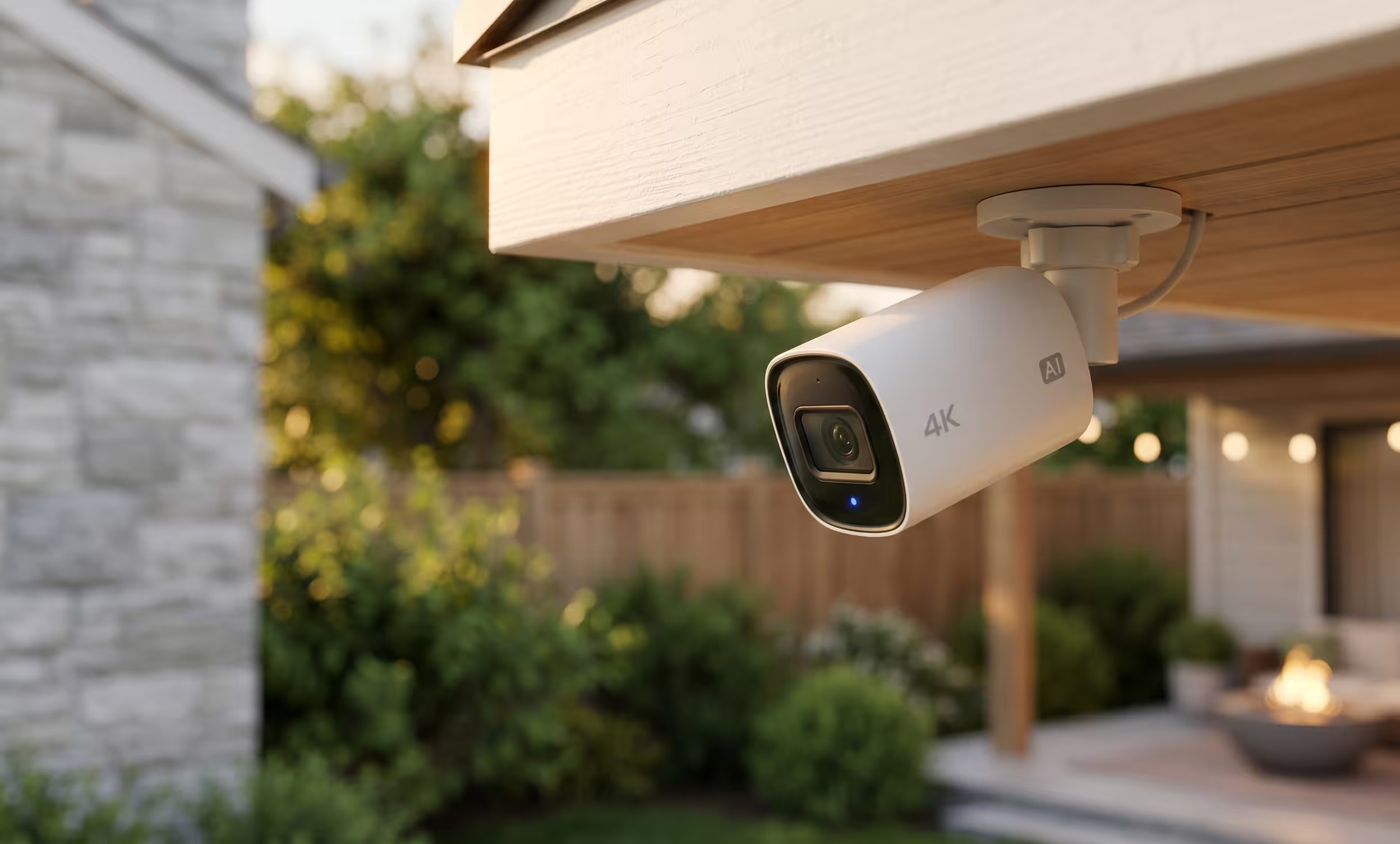
4K cameras (8 megapixels) capture four times the detail of 1080p. When you zoom in on a recording — and you will zoom in, because that’s the whole point — 4K is what separates a blurry shape from a clear face.
You don’t need 4K on every camera. Interior hallway cameras or narrow angles can get away with lower resolution. But any camera pointed at a driveway, entry point, or street-facing area should be 4K.
Storage: Cloud vs. Local NVR
This is where most people get locked into monthly payments without realizing it.
Cloud storage means your footage is sent to the manufacturer’s servers. Ring, Arlo, Nest — they all charge monthly subscriptions ranging from $4 to $20 per camera. Miss a payment, and your recordings disappear. The company has access to your footage. And if their servers go down, so does your security system.
Local NVR storage means your footage stays on a hard drive inside your home. No monthly fees. No third-party access. No dependency on someone else’s infrastructure. A 4TB NVR can store weeks or even months of continuous recording from 4-8 cameras depending on resolution settings.
I’ve covered this in more depth in my comparison of Ring doorbells vs. NVR camera systems, but the short version is: if you want full-property coverage without ongoing costs, local NVR wins every time.
Wiring: PoE vs. WiFi
WiFi cameras are convenient to set up but unreliable long-term. They drop signal, they lag during live view, they compete with every other device on your network, and they’re the first thing to fail during a storm — exactly when you need them most.
PoE (Power over Ethernet) cameras get both power and data through a single ethernet cable. One cable, one connection, zero WiFi dependency. They work during internet outages (the NVR keeps recording locally), they don’t slow down your household network, and they handle 4K video without buffering.
The tradeoff is that PoE requires running cable — through attic space, along eaves, down walls. That’s the part that takes professional installation. But once it’s done, it’s done. No batteries to charge. No signal drops. No troubleshooting.
Night Vision: Don’t Skimp Here
Most break-ins happen at night or in low light. Cheap cameras produce grainy, washed-out night footage with infrared that lights up bugs and rain but can’t capture a face at 20 feet.
Look for cameras with both infrared and full-color night vision. Full-color mode uses a built-in spotlight to illuminate the scene — you get actual color footage at night, which is dramatically more useful for identification. Infrared-only footage turns everything into a gray blob.
The best systems let you set zones: full-color spotlights for entry areas and driveways, passive infrared for side yards where you don’t want a floodlight waking the neighbors.
Weatherproofing: IP66 or Better
Outdoor cameras need to survive rain, ice, wind, and Kansas City’s 100°+ summer heat. Look for an IP66 or IP67 rating. IP66 means full protection against heavy rain and dust. IP67 adds temporary submersion — overkill for most situations, but it means the camera can survive standing water during a flood or a direct hose-down.
Given that KC just recorded the most active severe weather season in history, weatherproofing isn’t optional.
What You Don’t Need to Worry About
AI detection: Almost every camera advertises “AI person detection” or “vehicle detection.” These features are fine, but they’re not a reason to pay a premium. They work okay in ideal conditions and poorly in rain, shadows, or when someone is wearing a hoodie.
Pan-tilt-zoom (PTZ): Moving cameras sound great in theory. In practice, they’re pointed at one thing when something happens somewhere else. Fixed cameras with wide lenses cover more ground more reliably.
Wireless solar cameras: Solar only works if the panel gets consistent direct sunlight. In KC, that’s maybe 6 months of the year. The rest of the time you’re charging batteries manually.
My Recommendation for Most KC Homes
A 4-camera PoE NVR system with 4K resolution, IP66 weatherproofing, and a 2TB+ hard drive covers most homes. That gives you front door, back door, driveway, and one flexible camera for a side gate, garage, or backyard. No monthly fees, no cloud dependency, and weeks of stored footage.
If you want front-door convenience with two-way audio, pair it with a Ring Video Doorbell at the entry. Best of both worlds.
Want me to assess your property and recommend the right setup? I do free walkthrough consultations — no obligation, no sales pitch. Just honest advice from someone who installs these systems every day.
Call or text (913) 674-9723 or visit smarthomeconnectllc.com/contact-us.
Serving Lenexa, Overland Park, Olathe, Shawnee, Leawood, and the full KC metro.