Sofabaton X2: The One Remote That Actually Replaced Everything on My Clients’ Coffee Tables
Published July 2026 · By Dan, SmartHome Connect LLC · Lenexa, KS
I walk into a lot of living rooms. And the scene is almost always the same: three, four, sometimes five remotes scattered across the coffee table or stuffed between couch cushions. One for the TV. One for the soundbar. One for the streaming box. One for the cable box. Maybe one more for the receiver. And nobody in the house knows which one does what — so they pick up two at a time and start pressing buttons until something happens.
I’ve been looking for a universal remote worth recommending to my clients for years. The Logitech Harmony used to be the gold standard, but Logitech killed that line and left everyone stranded. Most of what replaced it was either too cheap to work reliably or too expensive to justify outside of a $50,000 custom home theater.
The Sofabaton X2 lands right in the middle — and it’s the first universal remote I’ve started offering as part of my installations.
What It Actually Is
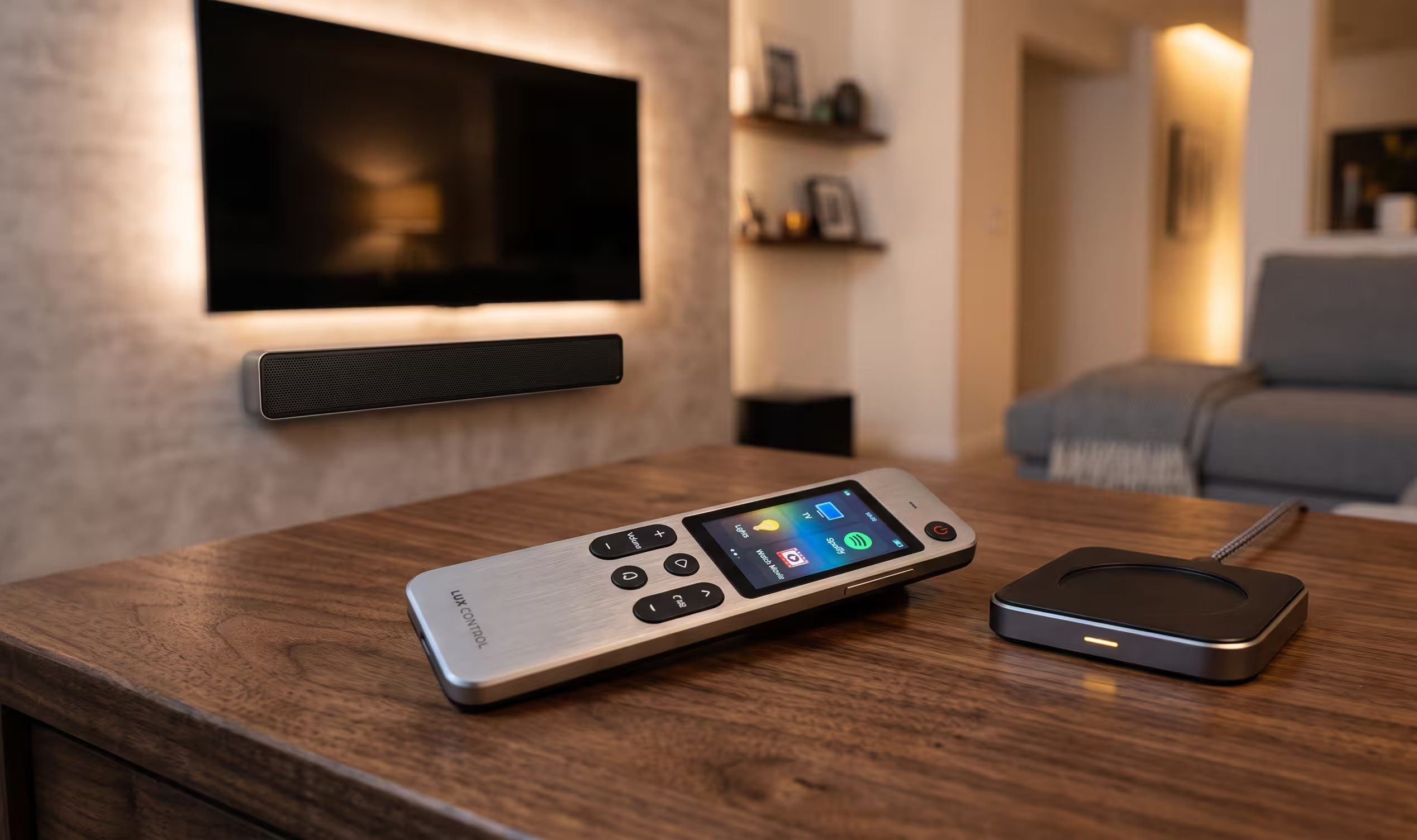
The X2 is a universal remote with a 2.4-inch color touchscreen, physical backlit buttons, and a hub that communicates with your devices via infrared, Bluetooth, and WiFi. It controls up to 50 devices. TV, soundbar, receiver, streaming box, cable box, projector, smart lights, fans — anything that takes a remote signal, the X2 can handle it.
The body is zinc alloy — actual metal, not plastic. It comes with a wireless charging dock that looks good sitting on a table. The battery lasts about two to three weeks with regular use. When it dies, you drop it on the dock and forget about it.
But none of that matters if the setup is wrong. And that’s the real story with this remote.
The Setup Problem Nobody Talks About
Every review of the X2 says the same thing: great remote, painful setup. Tom’s Guide said it took 45 minutes just to get five devices paired. AVS Forum called the programming “challenging to frustrating.” Pocket-lint said there were “bumps in the road” and the process was “much more difficult and longer than I’d hoped.”
They’re not wrong. Setting up the remote means downloading the Sofabaton app, connecting the hub, pairing each device one by one (IR codes for some, Bluetooth for others, WiFi for the rest), building “Activities” that chain multiple actions together (like “Watch TV” = turn on TV + switch to HDMI 2 + turn on soundbar + set volume to 20), and then testing every single function to make sure it works.
For someone who does this kind of thing every day — like me — it takes about 30-45 minutes. For someone doing it for the first time, it can take two to three hours, and there’s a real chance you’ll get frustrated halfway through and shove the remote in a drawer next to the Harmony you never set up either.
That’s why I offer the X2 as a fully installed and configured package. I bring the remote, pair every device in your system, build all your Activities, test every button, and hand you a remote that works the moment you pick it up. No app wrestling. No YouTube tutorials. No drawer of shame.
What Happens When You Press One Button
This is where the X2 earns its price. Once it’s set up correctly, you tap a single Activity on the touchscreen — “Watch Netflix,” for example — and the remote does five things simultaneously. It turns on the TV, switches to the right HDMI input, powers up the soundbar, sets the volume, and opens the Netflix app. One tap. Everything fires.
Want to switch to “Watch Cable”? Tap the activity. The remote switches the input, changes the volume routing, and you’re there. No fumbling. No “wait, which remote turns on the sound?”
For households where more than one person uses the TV — which is every household — this is what separates a system that works from one that only works when the person who set it up is home.
I wrote about a similar product, the AVA Cinema Remote, last year. The X2 fills a similar role but at a more accessible price point and with broader device compatibility.
Who It’s For (And Who Should Skip It)
The Sofabaton X2 makes sense if you have three or more devices connected to your TV. If you’ve got a soundbar or receiver, a streaming device, and a TV at minimum — the X2 collapses all of that into one remote that anyone in the house can use.
It also makes sense if you’ve invested in your home theater setup — a properly mounted TV, good audio, maybe some smart lights — and you want the control experience to match. Handing someone five remotes after installing a $3,000 entertainment system feels incomplete.
If you’ve got a single TV with a built-in streaming app and no external devices, the remote is overkill. Your TV remote is fine. But the moment you add a soundbar, a streaming stick, or a gaming console, the remote pile starts growing — and that’s when the X2 starts making sense.
What It Costs Through SmartHome Connect
The remote itself retails for $359. Through SmartHome Connect, I offer it at $799 — remote, hub, delivery, full installation, and programming included. That covers pairing every device, building your Activities, configuring the touchscreen layout, testing the IR coverage, positioning the hub for maximum signal reach, and making sure every member of the household knows how to use it.
The $440 over retail is the part that turns a box of potential into a working system. Every reviewer who praised the X2 also warned that setup was the weak point. I take that weak point off your plate entirely.
The Remote I’m Recommending in 2026
After the Harmony died, the universal remote space was a wasteland for a few years. The Sofabaton X2 is the first product I’ve tested that I’m comfortable putting in clients’ homes and knowing it’ll actually get used — not abandoned. The build quality is there, the feature set is there, and the reliability is there.
But only if it’s set up right. And that’s the part I handle.
Want to simplify your coffee table? Call or text (913) 674-9723 or visit smarthomeconnectllc.com/contact-us.
Serving Lenexa, Overland Park, Olathe, Shawnee, Leawood, and the full KC metro.